
Download
Get FACT
The download is free. FACT opens with a License Key from us: a trial key to try it, or a full license. Send us your Machine Code on WhatsApp to get one.
FACT for Windows
ZIP · 4 MB- Windows 10 or 11
- Microsoft Excel not needed
- Works offline
- Same data as your iPhone through iCloud Drive
FACT for Mac
ZIP · 10 MB- macOS 11 or later
- Apple silicon and Intel Macs
- Works offline
- Same data as your iPhone through iCloud Drive
FACT for iPhone
Subscription- Monthly or yearly subscription
- iOS 14 or later
- Same data as your computer through iCloud Drive
Installation
Install FACT in a few minutes
You do this only once on each computer. The videos show every step.
On Windows
- Extract the zip to C:\. Right-click FACT-for-Windows.zip, select Extract All and choose C:\. You get C:\FACT with the folders FACT EXE, FEED STORE and BACKUP.
- Open FACT. Double-click C:\FACT\FACT EXE\FACT.exe. The first time, Windows may say “Windows protected your PC”: select More info, then Run anyway.
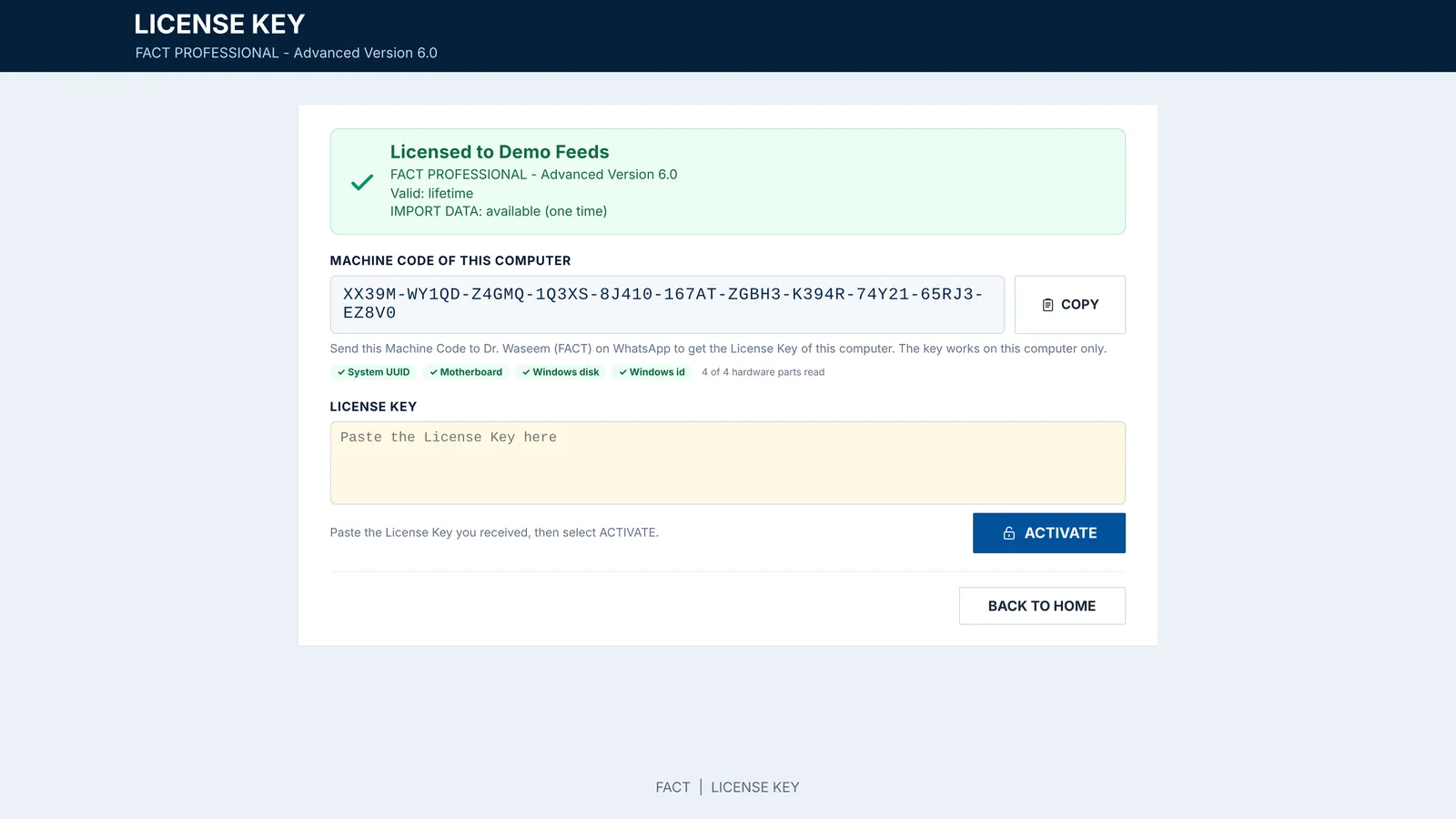
- Activate FACT. Copy the Machine Code and send it to us on WhatsApp. Paste the License Key you receive and select ACTIVATE.
- Log in with the user name and password you received, then set your own password.
- Desktop shortcut. On Home, select DESKTOP SHORTCUT. Always close FACT with Logout.
On a Mac
- Open the zip. Double-click FACT-for-Mac.zip in Downloads. The FACT app appears next to it.
- Allow FACT to open. The first time, macOS says it cannot check FACT: select Done, then System Settings › Privacy & Security › Open Anyway (macOS 11 and 12: System Preferences › Security & Privacy).
- Move FACT to Applications when FACT asks. If macOS asks about the Documents folder, select Allow: FACT keeps its data there.
- Activate FACT. Send us the Machine Code on WhatsApp, paste your License Key and select ACTIVATE.
- Log in and set your own password. Keep FACT in the Dock, and close it with Logout.
Already using the FACT Excel workbook? Extract the zip to C:\ in the same way: FACT.exe lands in C:\FACT\FACT EXE, next to your FACT.xlsm, and finds your FEED STORE and BACKUP. If your FACT.xlsm is in another folder, put FACT.exe next to it. The installation guide and videos 1A and 1B show FACT arriving on WhatsApp; from Open FACT the steps are the same.
Updating FACT? Close FACT with Logout, then replace FACT.exe (Windows) or the FACT app (Mac) with the new version. Your data and your license stay as they are. The first time, Windows or macOS may ask again: Run anyway or Open Anyway.
License Key
Activate FACT in three steps
Copy your Machine Code
FACT shows it on the License Key screen the first time it opens. Select COPY.
Send it to us on WhatsApp
Tell us if you want a trial key or a full license, the name to show in FACT and the user name you would like.
Paste your License Key
Paste the key you receive and select ACTIVATE. A key works on that computer only.
Questions before you start?
Ask us anything about FACT on WhatsApp. We answer questions, send trial keys and help with installation.